
CP2100A Notice: How to Fix IRS Backup Withholding Problems Fast
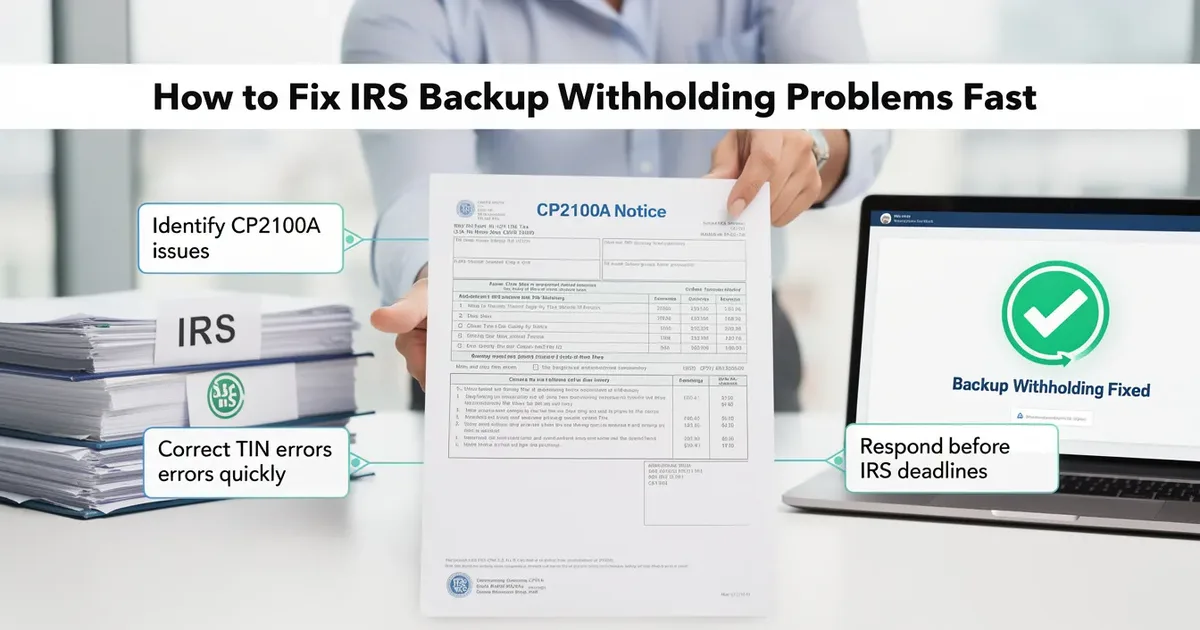
If you've received a CP2100A notice in the mail, don't panic. A CP2100A notice is an IRS letter sent to businesses and other payers when fewer than 50 payee names and taxpayer identification numbers on filed Form 1099 returns do not match IRS records. This IRS notice is not an audit, and the notice itself does not assess an immediate fine or tax penalty. It is a data-correction letter that tells you what mismatched, why the IRS sent it, and what you need to do next to stay compliant. For U.S. taxpayers—especially businesses and payers handling 1099 reporting—understanding how to read the notice, respond on time, handle any required B notices or backup withholding, and prevent repeat mismatches is the difference between a simple fix and thousands of dollars in penalties.
Overview: What a CP2100A Notice Means for You
An IRS CP2100A notice is sent to businesses when there is a TIN mismatch on information returns they filed. The IRS compares the payee TINs and names you reported against Social Security Administration and IRS records. When something doesn't line up, the IRS sends CP2100 and CP2100A notices to inform payers about the discrepancy.
CP2100 notices are for 50 or more errors. CP2100A notices are for fewer than 50 errors. Both notices require the same response actions from you as the payer.
This is not an audit. It is a compliance letter about backup withholding errors and incorrect TINs. But ignoring the notice can lead to IRS penalties for filing incorrect information returns, and eventually to follow up notices like Notice 972CG. Deadlines start from the date printed on the letter, and the IRS generally measures these response windows from the notice date rather than when you receive it: you have 15 business days to send B notices and 30 business days before you must begin backup withholding.
ClearNotice helps payers and small businesses decode every line of a CP2100 or CP2100A notice so you know exactly what steps to take next.

When and Why the IRS Sends CP2100 and CP2100A Notices
CP2100 notices are sent twice a year, typically in October and April. The IRS uses computer matching to compare payee names and taxpayer identification number (TIN) data on Forms 1099 against IRS and Social Security Administration databases.
Common triggers include:
Missing TINs on filed returns
Obviously invalid TINs (wrong format, too few digits)
Name/TIN combinations that don't match IRS records
Incorrect employer identification number or SSN entries
These notices go to payers who filed information returns like Form 1099-NEC, 1099-MISC, 1099-INT, 1099-DIV, and other reportable payments. CP2100 notices are sent on CD, DVD, or paper for filers with many mismatches. CP2100A notices are sent only on paper.
Think of these as an early warning. The IRS issues them so you can fix TIN mismatches and handle your backup withholding obligation before penalties are proposed.
What's Inside a CP2100A Notice and How to Read It
A CP2100A notice generally indicates issues with taxpayer identification information on information returns. The package usually contains:
A cover letter with the notice date, tax year(s), and forms affected
A listing of affected payees showing name, last four digits of TIN, error code, and related Form 1099
Additional instructions referencing IRS Publication 1281
Pay close attention to the notice date, because that is when your deadlines begin. Check the errors contained in the notice listing and compare each payee against your account records to determine where the discrepancy occurred.
Set up a tracking spreadsheet matching each payee to your internal vendor files and B notice status. Keep meticulous logs of the CP2100A notice and related correspondence for at least 4 years. ClearNotice can help you upload the notice and get a plain-language explanation of each section, including what the error codes mean.
Step-by-Step: How to Respond to a CP2100 or CP2100A Notice
You have 15 days to respond to a CP2100 notice. The clock starts from the notice date, not when you open the envelope.
Here is a practical response sequence:
Check for obvious internal data entry errors first (transposed digits, misspellings, legal name vs. DBA name issues).
If your records already show the correct TIN and the IRS listing is wrong due to your filing error, correct your records and future payments. No B notice is needed.
If your records match the IRS listing, ask the payee for updated information, verify the correct payee's TIN, and then send the required B notice.
File a corrected Form 1099 only when the original contained wrong tax information. If you simply need updated data going forward, update internal records.
If the payee does not respond, you must start backup withholding at the current backup withholding rate of 24% on future payments.
Backup withholding is mandatory if a payee fails to respond within 30 days.
Document every action you take. This paperwork is your defense if the IRS notifies you of proposed penalties later.
B Notices Explained: First B Notice vs. Second B Notice
B notices are letters you, the payer, send to payees, not letters from the IRS. They are required whenever a payee appears on a CP2100 or CP2100A notice due to a name/TIN problem. The IRS Backup Withholding B Program lays out the rules.
A first B notice is sent when a payee appears for the first time on a CP2100 or CP2100A notice within a three-calendar-year window. You enclose an IRS Form W-9 and request the payee certify their TIN. If no valid response comes back within 30 business days, you must begin backup withholding.
A second B notice is required when the same payee is flagged again within three calendar years. A second B notice requires no W-9, only TIN certification. The payee sends corrected information by obtaining proof directly from the SSA (for SSNs) or IRS Letter 147C (for EINs).
You must track first and second B notices for each payee yourself. The IRS does not label them for you. Review multiple years of notices to determine the appropriate entity type of B notice for each payee.
Common B Notice and Backup Withholding Errors to Avoid
Mistakes in handling backup withholding and B notices are costly:
Failing to send B notices within 15 business days of receiving the notice
Using the wrong backup withholding rate (the old 28% instead of the current 24%)
Sending a second B notice with a Form W-9 enclosed (not allowed)
Forgetting to mark envelopes with "important tax information enclosed"
Sending duplicate B notices when you receive both an October and April notice for the same payee in one year
Maintain clear logs of when B notices were mailed, what type (first or second), and when backup withholding started or stopped. Businesses should verify the TIN matches IRS records to avoid penalties down the line.

The Backup Withholding Clock: Rates, Deadlines, and Reporting
Backup withholding is currently 24% of reportable payments. It applies to nonemployee compensation, interest, dividends, broker transactions, third party network transactions, and certain other payments reported on Form 1099.
Here are the critical deadlines in a specified window:
Action | Deadline |
|---|---|
Send B notices to payees | 15 business days from notice date |
Start backup withholding if no response | 30 business days from notice date |
Stop backup withholding after valid certification received | 30 calendar days |
You must begin backup withholding within 30 days of a B notice if the payee doesn't respond. Backup withholding is mandatory if payees fail to certify their TIN. Once the payee provides a correct TIN via a valid W-9 or SSA/IRS documentation, you stop backup withholding within 30 calendar days.
File IRS Form 945 to report backup withholding amounts. This is the annual return of withheld federal income tax for non-payroll payments. Failure to withhold can make the payer secondarily liable for unwithheld tax, plus penalties and interest.
How to Prevent Future CP2100 and CP2100A Notices
Prevention saves you from repeated incorrect TIN notices, B notice cycles, and penalty exposure. Here's what works:
Collect W-9 forms from all vendors before payments. Never issue a payment without a completed form on file.
Use IRS TIN matching before filing 1099s each year to report accurate information the first time.
Bulk TIN matching should be done twice a year to catch errors early. Re-verify vendor TINs annually to prevent mismatches.
Audit sole proprietors for correct TIN usage on W-9s, since confusion between SSN and EIN is common with this appropriate entity type.
Maintain a vendor master file that distinguishes legal name from DBA name and flags any TIN verification issues.
Maintaining compliance is about process, not just reaction.
ClearNotice can help businesses build simple step-by-step workflows so staff know exactly how to collect W-9s, run TIN matches, and document everything for audit defense.
Penalties, Notice 972CG, and How ClearNotice Can Help
Failure to act on a CP2100 can result in IRS Notice 972CG, which proposes civil penalties under IRC § 6721. Ignoring a CP2100 notice can lead to penalties up to $280 per return. Penalties vary depending on the number of errors, how late corrections are made, and whether the IRS finds intentional disregard (which carries a much higher maximum penalty with no cap). Penalties for non-compliance can exceed thousands of dollars for multiple errors.
You generally have about 45 days to respond to a 972CG notice. A required response includes documentation of reasonable cause: copies of B notices sent, W-9s received, backup withholding records, and proof you attempted TIN verification.
Good documentation is your best defense. This is an important tax return document trail that proves you acted in good faith.
ClearNotice lets you upload IRS letters like CP2100A or 972CG, get clear explanations of what each notice means, see critical dates, and follow a guided checklist for responding on time. Instead of guessing at deadlines or wondering whether you need a B notice template letter, you get a plain-English walkthrough built for people without a tax background.
A CP2100A notice is a fixable problem when you act fast and keep records. Don't let a data mismatch turn into a penalty.
Keep reading
 Deadlines & how to respond
Sample of Letter to IRS: CP2000, Appeal & Payment Plan
Writing back to the IRS does not have to be intimidating. This guide provides ready-to-use sample letters for common IRS notices like CP2000, covering proper format, deadlines, and the most common mistakes to avoid.
 Deadlines & how to respond
How to Write a Letter to IRS (Examples for Each Notice)
You received an IRS notice and need to write back. This guide shows you exactly how to structure a letter to the IRS for the most common notice types, with examples, deadlines, and mailing tips.