
idverify irs gov not working. What now?
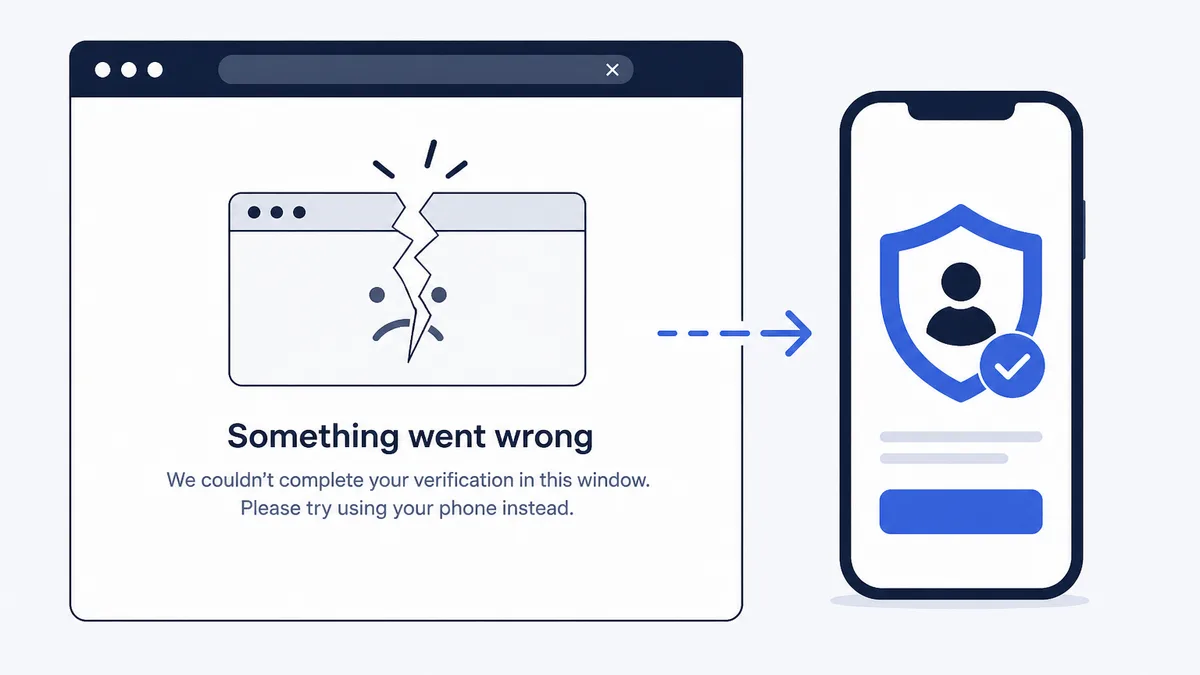
When idverify irs gov not working stops your online session, treat it as a channel problem, not the end of the process. Your identity letter lists backup options, usually a dedicated phone line and sometimes an in-person Taxpayer Assistance Center visit. Gather the letter, your Social Security details, and return facts before you retry or call. Most people finish verification through phone after a failed web attempt.
Why the online tool fails so often
The IRS online identity application asks questions tied to your tax and credit-style records. A small mismatch, a missing letter detail, or a browser glitch can end the session. Peak filing season also brings heavy traffic, which slows pages or times them out.
Common triggers when idverify irs gov not working appears on screen:
- Answers do not match IRS records (name spelling, address history, loan dates)
- The letter control number or tax year was entered wrong
- Pop-up blockers, VPNs, or outdated browsers interrupt the secure flow
- You started without the paper letter in hand
- The site is under heavy load or briefly down for maintenance
None of these mean the IRS rejected you forever. They mean the online path did not complete, and you should move to the next official channel on the notice.
Step one: a clean retry (once or twice)
Before you abandon online verification, run a short checklist:
- Use the exact URL printed on your letter or typed from IRS.gov, not a link from a text message
- Open a private or incognito window and disable VPN software
- Have the full letter visible, including any reference or caller ID number
- Enter Social Security numbers and names exactly as shown on Social Security cards
- Finish in one sitting so your answers stay consistent
If the page shows an error code or reference number, write it down. Phone agents sometimes ask for it. After two or three careful attempts on different days, stop looping online and use phone or in-person options instead.
Step two: phone verification on the letter
Letter 5071C and similar identity notices print a phone number meant only for identity verification. That number is not the same as general IRS helplines you find through random web searches. Dial what is on your page.Phone verification typically covers:
- Letter identifiers and tax year
- Personal facts from the return under review
- Security questions drawn from prior filings or financial records
Call from a quiet place with the letter and a copy of the return. If lines are busy, try early morning or later evening hours when the notice allows calls. Hold times grow long in spring, so patience helps.
If the agent cannot finish the session, they may direct you to mail documents or book a Taxpayer Assistance Center appointment. Follow that script rather than guessing your own mailing address.
Step three: Taxpayer Assistance Center fallback
Some taxpayers need in-person help after online and phone attempts fail. That can happen when:
- Online questions reference accounts you never held
- You need language or accessibility support available on site
- The letter or a prior agent told you to visit in person
Schedule through the IRS appointment system rather than walking in without a slot. Bring government photo ID, the identity letter, and any forms the notice lists. Travel takes time, but in-person verification can resolve cases that digital tools cannot.
Match the letter code before you panic
Identity letters share a purpose but use different numbers and phone scripts. Confirm your exact notice type with notice lookup if the heading looks unfamiliar. Related letters can mention online verification while pointing to slightly different phone trees.
Also read whether the letter assumes you filed the return or flags a return you never submitted. The fix for a site outage is the same (use official channels), but identity theft cases need Form 14039 steps after verification, not just a refund wait.
Do not pay strangers who offer to "fix" idverify.irs.gov for a fee. Scammers watch for people stuck online and push fake unlock links. Stick to the letter, IRS.gov, and the printed phone number. Never share full Social Security numbers or bank logins with someone who cold-called you about verification.
Browser and device tips that actually help
- Update your browser to a current version supported by federal sites
- Allow cookies and JavaScript for the session; blocking them often breaks login
- Avoid mobile data switches mid-session if your connection drops easily
- Try a desktop or laptop if the phone browser keeps failing
- Clear only the site cache if tech support suggests it; avoid wiping saved passwords blindly
If your employer network blocks certain government domains, try home Wi-Fi or phone data instead.
What success looks like after a fallback channel
Finishing phone or in-person verification removes the identity hold on a legitimate return. Your refund may still take additional processing time after verification succeeds. Watch Where's My Refund or your IRS online account for status changes rather than expecting money the same hour.
If you did not file the return referenced on the letter, report that through the identity theft path on the notice. Verification in that scenario is about stopping fraud, not releasing a refund you never claimed.
When to call a tax professional
Most single-letter cases resolve through phone after a failed web try. Consider help when you have years of mixed filings, prior identity theft cases still open, or business returns tied to the same Social Security number problems. An enrolled agent, CPA, or tax attorney can pull transcripts and coordinate affidavits while you keep using official verification channels.
Quick decision map
- Two clean online tries with the letter in hand
- Call the verification number on the notice with documents ready
- Schedule a Taxpayer Assistance Center visit if directed or if phone cannot finish
- Track refund status only after verification shows complete
That order mirrors how Letter 5071C and related notices expect you to work. When idverify irs gov not working blocks the fastest path, the official fallbacks exist so you can still finish without third-party middlemen.
Quick follow-ups
Should I keep clicking refresh on idverify.irs.gov?
A few retries are fine, but repeated failed sessions can waste time. Switch to the phone line on your letter after two or three clean attempts.
Can I verify identity without the online tool?
Yes. Most identity letters list a dedicated phone number, and some cases allow an in-person appointment at a Taxpayer Assistance Center.
Does a site outage mean my refund is lost?
No. A technical block pauses your online path, not your right to verify. Use the fallback channels on the notice until one succeeds.
Upload a photo for a free plain-English explanation of your amounts, deadline, and options.

Founder of ClearNotice · Updated August 2026 · About