
Fax or Mail or Upload Fastest Way to Answer a CP2000: Which Is the Best Way to Answer Your Notice?
If you just received a CP2000 notice and your 30-day deadline is ticking, the fastest way to respond depends on which methods your specific notice allows. The IRS sends a CP2000 when it finds a difference between your tax return and the information on IRS copies it received from third parties. You usually have 30 days to respond to a CP2000 notice, and answering the IRS notice with the right method affects how quickly it reaches the IRS - which directly affects whether you avoid proposed penalties, additional tax, and escalation to a formal Statutory Notice of Deficiency.
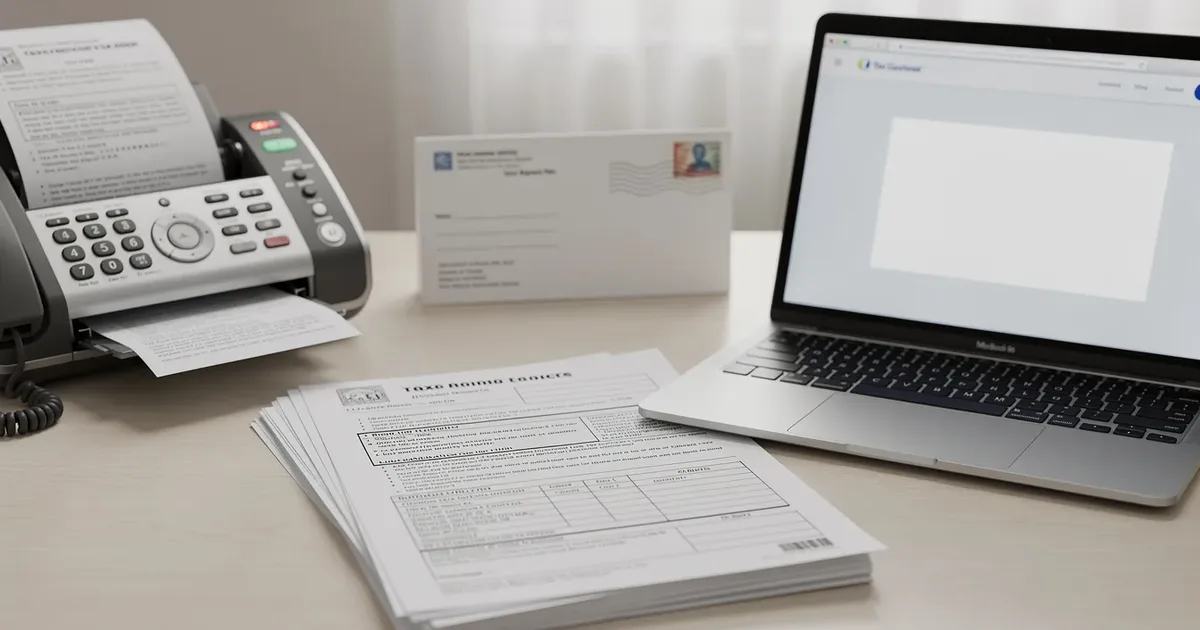
Document submission methods include uploading, faxing, and mailing. Each has different speed, reliability, and availability trade-offs. This article ranks all three by how quickly they get your CP2000 response into IRS hands, compares confirmation and security features, and helps you decide which method fits your situation.
The short answer: Uploading is the fastest way to respond to a CP2000. Online upload provides instant electronic delivery and confirmation of receipt - your documents reach the IRS the same day, often within minutes. Faxing is a fast alternative if the online upload isn't available, with the IRS treating the transmission date as the received date. Mailing is the slowest method for responding to a CP2000 notice, typically adding 5–10 business days before the IRS even opens your envelope. However, the Document Upload Tool is only available if the CP2000 notice provides an access code or link, so your specific notice dictates which options you actually have.
What Is the Upload Method?
The IRS Document Upload Tool (DUT) lets you submit your CP2000 response digitally - scanning or photographing your response form, supporting documents, and any explanation, then uploading them as a pdf file, jpeg, or png. You need your notice number, your social security number or taxpayer identification number, and the access code printed on your notice.
Key strengths of the upload method:
Instant delivery - documents go directly into the IRS digital system with no postal transit
Immediate confirmation - you receive proof that the IRS received your submission
Digital tracking - files are logged electronically, reducing the risk of lost paperwork
The DUT accepts files up to 15 MB per file, with up to 40 files total per submission
What Is the Fax Method (Including Online Fax Service)?
Faxing your CP2000 response means sending copies of your response form, supporting documentation, and notice to the fax number printed on your CP2000 notice. The IRS provides specific fax numbers on eligible CP2000 notices, and these are campus-specific - routed to the particular IRS campus handling your case.
Faxing sits between digital upload and physical mail as a middle-ground option:
Faster than mail - no postal transit, your documents arrive the same day
Works when upload isn't available - many notices include a fax number even when no access code for the DUT is provided
Transmission confirmation - faxing provides a transmission log confirmation showing the exact date and time, which serves as proof of timely submission
You can use an online fax service if you don't have a physical fax machine
What Is the Mail Method?
Mailing your response means sending physical documents - your signed response form, copies of supporting records, and a copy of the first page of your notice - to the mailing address printed on your CP2000 notice. Mail your response to the address on the notice, not to a generic IRS address found online.
Mail is the traditional fallback:
Universally accepted - every CP2000 notice includes a mail option
Paper trail - using USPS Certified Mail ensures proof of mailing and delivery confirmation
Required in some cases - certain notice types or situations (such as those requiring an original signed response) may require physical mail
Physical mail has a higher risk of delay or misplacement without certified tracking
Upload vs Fax vs Mail: How They Compare at a Glance
Factor | Upload (DUT) | Fax | |
|---|---|---|---|
Speed to IRS receipt | Immediate (same day) | Same day (transmission date = received date) | 5–10 business days (transit + mail opening) |
Availability | Only if notice includes access code/link | If notice includes a fax number | Always available |
Confirmation type | Instant digital receipt | Transmission log with date/time | Certified mail tracking / return receipt |
Security | Encrypted IRS portal | Moderate (standard fax lines) | Physical handling; risk of loss |
Best for | Urgent deadlines, digital-ready taxpayers | When upload isn't available | When required or preferred for paper records |
Upload wins on speed whenever it's available - but availability is the catch. Not every CP2000 notice includes the DUT option.
Response Speed and Processing Time
Speed matters because you usually have 30 days to respond to a CP2000 notice. Missing the 30-day deadline means the IRS may treat the proposed difference as correct and assess more taxes, interest, and penalties you might not actually owe. Submit your reply by the deadline listed on the notice to avoid penalties.
Here's how each method stacks up on delivery speed:
Upload: Digital uploads eliminate mail transit delays and reduce lost paperwork risk. When you submit through the DUT, the IRS logs your documents the same day. The IRS describes the tool as providing "a means for immediate documentation delivery." You receive confirmation right away, and your documents enter the case queue without waiting for anyone to open an envelope.
Fax: The IRS considers a fax "received" on the transmission date. If you fax your response before close of business on the due date, it's timely - even if actual processing doesn't happen until later. However, if your fax arrives outside business hours, IRS logging may wait until the next business day. In practice, allow 24–48 hours for internal routing.
Mail: Mailing a response takes days due to delivery and IRS processing times. First-class or certified mail typically takes 3–5 business days for postal transit. Once it arrives at the IRS campus, mail must be date-stamped, sorted, extracted from trays, and scanned - adding several more days before your response enters the system. Weekends, holidays, and high-volume periods make this worse.
Regardless of method, the IRS review process after submission (where an examiner compares your documentation to the discrepancy) takes weeks to months. Uploading doesn't speed up the review - it speeds up the starting point.
Winner: Upload - instant digital transmission vs. days or weeks of physical delivery delays. Fax is a strong second, while mail is meaningfully slower on the front end.
Availability and Compatibility
Not every CP2000 notice offers all three methods. The IRS began expanding digital correspondence using the DUT in 2023, but the upload option is only available when your notice includes an access code or a direct link to the tool. If your notice doesn't have one, upload simply isn't an option for you.
How to check what's available:
Upload: Look for an access code or DUT link on your notice. The IRS has been expanding the DUT to more CP-series notices, but coverage isn't universal yet.
Fax: Check whether your notice includes a campus number or dedicated fax number. Many CP2000 notices do, but not all.
Mail: Every CP2000 notice includes a mailing address. This is always available regardless of what other options are listed.
Some notices may require mail regardless of your preference - for example, if the IRS needs an original signed response or specific physical documents. Tax professionals often recommend checking the complete instructions on your notice before deciding.
Winner: Mail - it's the only method guaranteed on every CP2000 notice. But if your notice includes an access code, upload is the smarter choice for speed.
Delivery Confirmation and Tracking
Proof of delivery isn't optional - it's your protection if the IRS later claims your response arrived late. Here's what each method gives you:
Upload: The DUT provides an on-screen confirmation after successful submission. Save digital upload confirmations or fax transmission logs as proof. This confirmation includes the date and documents submitted, and it's available immediately.
Fax: Your fax machine or online fax service generates a transmission report with the date, time, number of pages sent, and recipient fax number. This report is your evidence that you submitted on time. Always include a copy of the CP2000 notice with any submission to the IRS, and keep the transmission log.
Mail: Using USPS Certified Mail with return receipt requested gives you a postmark date (legal proof of mailing) and a green card confirming delivery. Standard mail with no tracking provides no proof at all - a significant risk. Note that many CP2000 response addresses are P.O. boxes, so IRS-designated private delivery services may not be accepted.
Winner: Upload - immediate digital confirmation that's timestamped and tied to your case. Fax confirmation is strong but depends on the quality of your transmission report. Certified mail tracking is reliable but delayed by days.
Security and Reliability
You're sending sensitive information - your social security number, income records, financial institutions' documentation, and possibly cost basis data. Security matters.
Upload: The IRS DUT uses encrypted transmission through a secure portal on IRS.gov. Documents go directly to the case examiner's digital queue. Risk: technical failures, incorrect file formats, or files exceeding the 15 MB limit could prevent successful upload. Always verify the confirmation screen.
Fax: Standard fax lines aren't encrypted. If you're using a public fax machine, there's a security service risk - someone else could see your documents. An online fax service with encryption is safer. Risk: transmission failures, dropped pages, or poor image quality can compromise your submission. Busy IRS fax lines may cause repeated failures.
Mail: Physical mail carries the risk of loss, misrouting, or delivery to the wrong IRS campus. Without certified tracking, you have no way to verify delivery. Risk: weather delays, holiday volume, and IRS mail-room backlogs can add significant time.
Winner: Upload - encrypted, direct delivery to IRS systems with the lowest risk of loss. But always have a backup plan: if your upload fails, fax or mail before the deadline passes.
Which CP2000 Response Method Should You Choose?
Choose upload if your notice includes an access code or DUT link and you need the fastest way to get your response to the IRS. This is the strongest choice for taxpayers facing a tight deadline or wanting immediate confirmation. Scan your response form, supporting documents, and any explanation into a pdf file and submit through the Document Upload Tool.
Choose fax if upload isn't available on your notice but a fax number is included, and you want faster delivery than mail. You can fax your response to the number on your notice to answer the IRS letter before the deadline. This is especially useful when you're within a few days of the deadline and can't risk postal delays. Use an online fax service if you don't have a fax machine.
Choose mail if your notice requires it, if upload and fax aren't available, or if you need to submit original documents. Always use USPS Certified Mail with return receipt requested. It is important not to send the same response by multiple methods without instructions - duplicate submissions can confuse IRS processing.
For most taxpayers, upload is the clear winner when available. It eliminates every delay that fax and mail introduce. If your notice doesn't offer upload, fax is a reliable and fast backup. Mail works, but build in extra time - start preparing your response immediately so you can mail well before the deadline.
You can request a 30-day extension to respond if you need more time to review whether you owe additional taxes and to gather income transcripts, documentation from financial institutions, or records to support deductions and credits. Call the number on your notice to request this.
Frequently Asked Questions
Can I use a different method than what my CP2000 notice specifies?
Follow the instructions on your specific notice. If it includes an access code for upload, a fax number, and a mailing address, you can choose among those options. But if your notice only lists mail, don't assume the DUT or fax will work - the IRS may not route a response submitted through an unauthorized method to the correct examiner, and you risk having your CP2000 response treated as if it was never received.
What if my upload or fax fails on the deadline day?
Submit early. The IRS does not publish a formal policy excusing late responses due to technical failures. If your upload fails, immediately try faxing. If fax fails, mail via USPS Certified Mail the same day - the postmark date counts as your submission date. Save all error screenshots, failed transmission logs, and tracking receipts. If the IRS rejects your response as late, this documentation supports your case. Tax professionals recommend submitting at least several days before the deadline to avoid this scenario entirely.
How do I know which IRS campus to fax or mail to?
Check the top left corner of your CP2000 notice. The IRS campus address and any applicable fax number are printed on the first page, usually at the top left side. Do not use generic IRS addresses found online - CP2000 notices are handled by specific Automated Underreporter units, and sending to the wrong address can delay processing by weeks. Always include the campus number and your tax year on every page you submit.
Should I use all three methods to be safe?
No. It is important not to send the same response by multiple methods without instructions from the IRS. Duplicate submissions create confusion in the IRS processing system, potentially resulting in conflicting case records or delayed review. Choose one method, submit a complete response - including your response form, supporting documents, and a copy of the CP2000 notice - and keep your confirmation records. If you're unsure whether the IRS received your submission, call the number on your notice to verify rather than resubmitting.
Should I file an amended return in response to a CP2000?
You should not file an amended return in response to a CP2000. The notice is not a tax bill - it is a formal IRS letter proposing changes based on information matching, using a discrepancy between what you reported on your tax return and what the IRS received from third parties like employers and financial institutions. Instead, respond directly to the proposed changes using the response form included with your notice. If you agree, sign the form and include payment information for any amount owed, and you may need to pay it using the instructions that come with the notice. If you disagree, explain why and attach supporting documentation showing the correct income, deductions, or credits for that tax year. The IRS uses third-party information to generate CP2000 notices, so your response should address the specific items listed, providing records that support what you originally reported on future returns and past filings alike. A CP2000 notice indicates income discrepancies with your tax return - responding correctly resolves the same issue without the complications of an amended return.
Keep reading
 CP2000 & income mismatch
CP2000 How Long Response: 30-Day Deadline & IRS Timeline
Most taxpayers have just 30 days from the CP2000 notice date to respond, but the full timeline includes waiting periods, IRS review windows, and escalation points that can catch you off guard. This guide covers every stage in plain English.
 CP2000 & income mismatch
CP2000 Accuracy Penalty: What It Is and Next Steps
A CP2000 notice can include a 20% accuracy-related penalty on top of proposed extra tax. This guide explains what triggers it, how the IRS calculates it, and what your response options are.
 CP2000 & income mismatch
CP2000 Response Time: What to Expect From IRS | ClearNotice
Sent your CP2000 response and still waiting? Most taxpayers hear back within 30 to 90 days. Here is exactly what happens after you respond and when to follow up.